

.
Image: Kagi
The notion of instant on-the-go translation is nothing new for most of us, thanks to the now-ubiquitous Google Translate service.
But a scrappy Google competitor thinks it can do better.
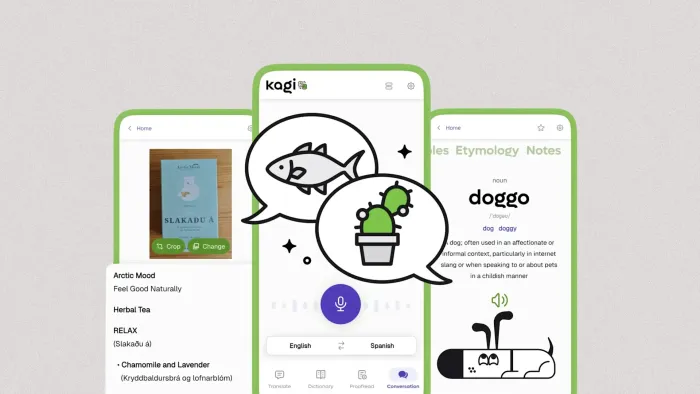
➜ This week, a company called Kagi is officially launching its Kagi Translate app for both Android and iOS.
💡 The app mirrors most of the same features Google Translate offers, with a few interesting new touches and one key point of distinction: It is all about protecting your privacy—with no ads, no trackers, and no data being monetized or repurposed in any way.
Oh—and it’s free, too.
⌚ You’ll need all of two minutes to take it out for a test-drive.
Psst: If you love these types of tools as much as I do, check out my free Cool Tools newsletter from The Intelligence. You’ll be the first to find all sorts of simple tech treasures!
Once you’ve got the Kagi Translate app on your device, it’s really quite intuitive to use. At its core:
Kagi Translate’s main screen is one simple prompt—with plenty of power around it.
Beyond that, Kagi Translate offers some interesting extras—for instance:
Poke around, and you’ll find all sorts of ways to customize and control your translation output.
Kagi Translate can give you different ways to say the same thing, if you aren’t entirely thrilled with its initial translation.
🕶️ Again, though: It’s Kagi’s commitment to privacy that really sets this app apart. You don’t have to sign in or create an account to use it, and nothing you do or say within the app is ever shared or used for any type of ad targeting.
If that sounds familiar, it should: I’ve written about Kagi and its similarly privacy-centric approach to regular ol’ search before, and that same mindset applies to pretty much everything else the company has offered—including, too, the excellent Android summarizing app I mentioned in these same quarters a few months ago. Kagi makes its money entirely from user subscriptions, which are required for its core search service but not for the assorted stand-alone apps like Translate and Summarize.
Whether you’re using Kagi for any other purposes or not, though, this new tool is an interesting option to keep around and a welcome alternative to Google’s de facto default—and maybe, just maybe, it’s exactly the je ne sais quoi you’ve been waiting for.
Treat yourself to all sorts of experience-enhancing treasures like this with my free Cool Tools newsletter—starting with an instant introduction to an incredible audio app that’ll tune up your days in delightful ways.
ABOUT THE AUTHOR
JR Raphael is obsessed with productivity and finding clever ways to make the most of modern technology. He's written about almost everything imaginable at some point—including even politics, crime, and hurricanes in his past life as a TV news producer—but these days, he's known primarily for his unmatched analysis of Google's Android and ChromeOS platforms (both of which he's covered closely since their starts) along with his knack for digging up off-the-beaten-path tech treasures.
